Playing around with a connector for crosspoint-reader-sync and micro.blog bookshelves. Make sure that any books I’m reading in crosspoint (or anything else I point at this KOsync compatible server) show up in my reading bookshelf and get moved to Finished Reading when I’m done. 📚
“This Is Not The Computer For You” · Sam Henri Gold
“This Is Not The Computer For You” · Sam Henri Gold:
Yes, you will hit the limits of this machine. 8GB of RAM and a phone chip will see to that. But the limits you hit on the Neo are resource limits — memory is finite, silicon has a clock speed, processes cost something. You are learning physics. A Chromebook doesn’t teach you that. A Chromebook’s ceiling is made of web browser, and the things you run into are not the edges of computing but the edges of a product category designed to save you from yourself. The kid who tries to run Blender on a Chromebook doesn’t learn that his machine can’t handle it. He learns that Google decided he’s not allowed to. Those are completely different lessons.
It is wonderful that computing is ever more accessible to school kids. Chromebooks are now everywhere, phones are more computationally powerful than the supercomputers of my youth, and would absolutely smoke the 486 PC I built in college. But these are locked down environments. Learning by testing the limits is testing the limits of what you’re allowed to do, not what the device is capable of.
My memories include:
- Getting an Acorn Electron for Christmas because it was closest to the BBC Micro that my primary school had, and this made it an educational tool not a toy like my friends' Spectrums.
- Spending multiple nights with my dad transcribing games written in BASIC from Electron User magazine to spend maybe an hour playing it before moving to the next. But always going back and trying to “improve” those games.
- Learning the basics of 6502 assembly language because that would unlock new areas to explore.
- Playing with the Doomsday Book on laserdisc on my primary school’s most advanced computer - a BBC Master.
- As soon as the teacher was occupied figuring out how to do literally anything else on it without getting busted.
- Gaining lunch time and out of hours access to my high school’s business studies computer room to work on the school newspaper and event programs.
- Learning how to safely disconnect one of the 80186 (yes!) computers from the 10base2 network without crashing the whole network, rebooting it out of the network-locked OS to play random PC games.
- Learning how to connect one of those PCs to the main school network which had much cooler software (there was a cable in the room to allow weekly backups of the business studies server).
- Discovering what was possible with the admin password we, uhh, obtained.
- Being recruited by the computer science department to help run the entire school network (so many fun stories there)
- Getting work experience at a local IBM sales office
- Learning about OS/2 and mainframes
- Figuring out how to download satellite images (through FTP by email) of Hurricane Andrew and stitch them together to make a slow, small, stuttering movie
- Getting employed by IBM and finally having Internet access (well, email anyway)
- Learning how IBM mail relays worked and how easy it was to spoof email as pranks
- Getting access to GOPHER servers at University
- Finding the hidden telnet services on specific GOPHER servers that gave me shell access
- Reading RFCs to understand how to send email via telnet, or read news via telnet or why FTP wouldn’t transfer files through telnet
- Realizing that early HTTP was not hugely dissimilar to GOPHER, and that we had a couple of mainframes at IBM with access to the internal IP network, and someone had already written a GOPHER server for the mainframe. Stretching that GOPHER server into HTTP and figuring out how to share my Office/VM calendar as a webpage.
- Spending all my money on building a PC and not having enough to buy a copy of Windows (or even DOS)
- Downloading 40 disk images of slackware via FTP by email and screen scraping the 3270 session at work
- Getting a real ISP at home (dial up of course)
- Sharing the house with 2 other nerds who also wanted Internet access especially after we ran Ethernet and Token Ring through the house to host LAN parties.
- Before NAT we had experience with SOCKS and HTTP proxies, so I wrote a SOCKS and HTTP Proxy that would initiate a dialup if it wasn’t already connected.
Where are the opportunities or incentives for my kids to do anything like this? They have chromebooks from school for school work. They have access to their parents macs if they need to do research for scouts or other extra curriculars, but realistically they have access to more computing power than I imagined when I was a kid and its just a way for them to watch videos, listen to music or podcasts or play games. They aren’t trying to break out of the limitations (other than screen time) because they have what they need - “it just works”. But does “it just work” end up stifling imagination of what could be possible beyond what’s allowed by the device? And why am I only thinking about this now with my eldest thinking about colleges?
Quick note for "maximizing" the "new" social media interoperability
From Mastodon
Enable Bluesky users to follow you via the bridge by following @bsky.brid.gy@bsky.brid.gy
Bluesky users will find your Mastodon posts from @user@domain.tld as @user.domain.tld.ap.brid.gy
From Bluesky
Enable Mastodon users to follow you via the bridge by following @ap.brid.gy
Mastodon users will find your Bluesky posts as @bluesky.user.name@bsky.brid.gy
From Threads
Enable Mastodon users to follow you via Fediverse sharing
Mastodon users will find you at @user@threads.net
Enable Bluesky users to follow you via the bridge, enable fediverse sharing first then follow https://www.threads.net/fediverse_profile/bsky.brid.gy@bsky.brid.gy
Bluesky users will find you at @user.threads.net.ap.brid.gy
App Defaults (Hemispheric Views)
I guess if 200 people have done it, it’s time for me to jump on the Hemispheric Views defaults bandwagon.
Thanks to Robb Knight for repeatedly posting about it to remind me, I’m also using Manton’s extended list. Unlike Robb, I’m not going to score myself.
📨 Mail Client: Apple Mail, Spark
📮 Mail Server: Self hosted, iCloud with custom domain, MS365
📝 Notes: Notes, Agenda, Drafts
✅ To-Do: Omnifocus, Reminders
📷 iPhone Photo Shooting: Apple Camera
🌅 Photo Management: Apple Photos
📆 Calendar: Fantastical
📁 Cloud File Storage: iCloud, OneDrive
📖 RSS: NetNewsWire, Feedbin
🙍🏻♂️ Contacts: Apple Contacts
🌐 Browser: Safari
💬 Chat: Messages, MS Teams, Discord, Slack
🔖 Bookmarks: pinboard (stale)
📑 Read It Later: Instapaper (stale)
📜 Word Processing: Pages, Google Docs, MS Word
📈 Spreadsheets: Numbers, Google Sheets
📊 Presentations: Keynote
🛒 Shopping Lists: Reminders
🍴 Recipes: Paprika
💰 Budgeting and Personal Finance: Numbers, Banktivity
📰 News: Mastodon, Discord, Apple News
🎵 Music: Apple Music
🎙️ Podcasts: Overcast
🔐 Password Management: 1Password
🤖 Code Editing: Textastic, vi
📚 Books: Apple Books, Kindle
🌎 Blogging: Micro.blog, MarsEdit
I guess this is one way of finding out which kids didn’t put their phones in their lockers at school….
So many “bug fixes and improvements” in apps today… almost like it was coordinated with something else happening. Hmm.
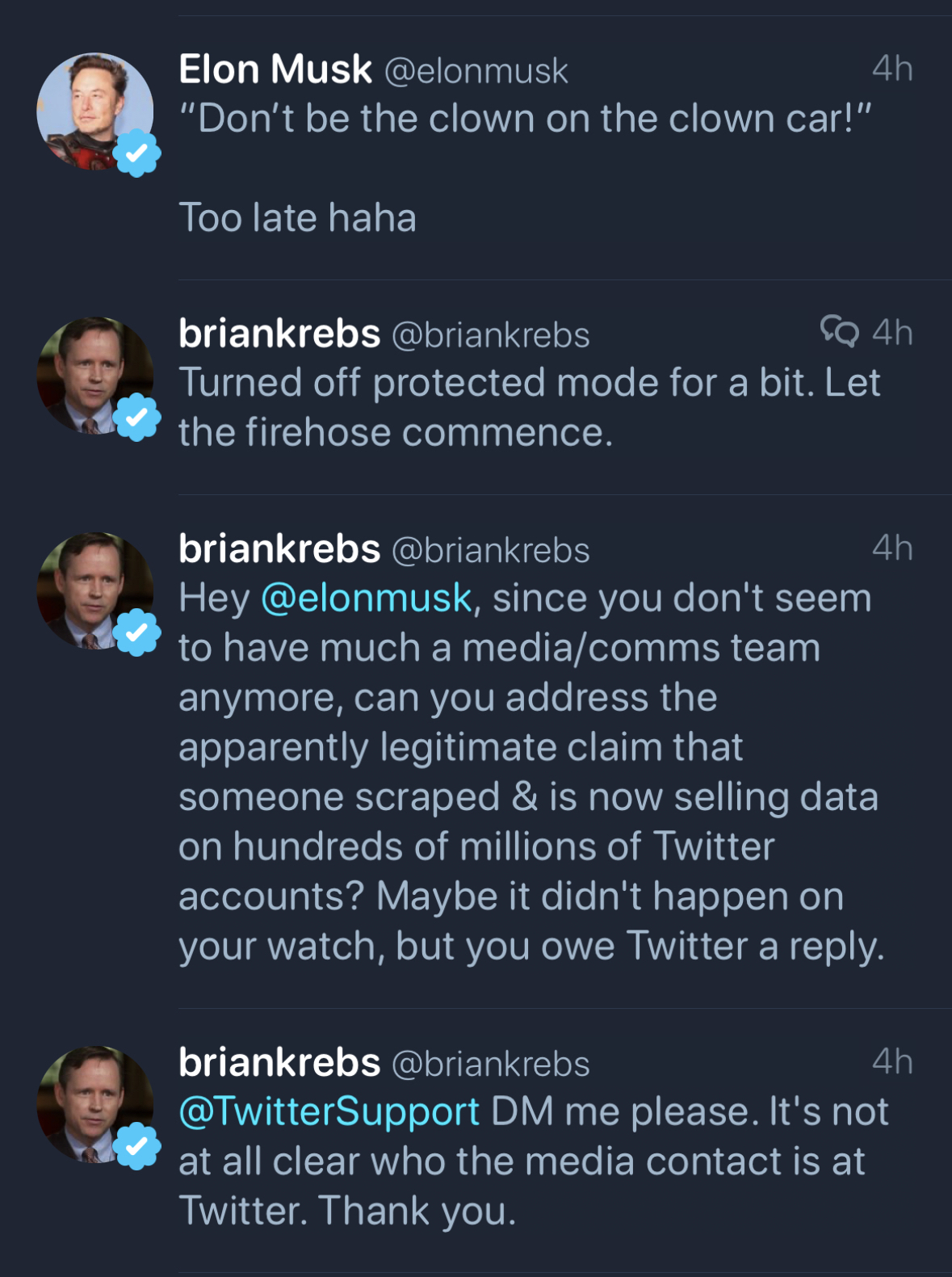
Elon seems determined to drive everyone away. If you’re not using the official client or website this move will either kill your posting ability or drive the cost up.
Another Password Manager Leak Bug: But KeePass Denies CVE - Security Boulevard:
Two researchers report vulnerability in KeePass. But lead developer Dominik Reichl says it’s not a problem—and refuses to fix the flaw. The issue is that KeePass has this weird feature that queues up a cleartext password export for the next time you authenticate. And that feature is itself configured via a plain-text config file, writable in the user’s security context.This strikes many as dangerous. However, Reichl blames the victim, saying an exploit would be the notional user’s fault for using an insecure device.
I have been a 1Password user since… well, I don’t remember. I do remember waiting eagerly for 1Password to launch on the iPhone - I have 1Password and 1Password Pro in my early purchase history.
I’ve been happy with them ever since. No major security vulnerabilities, responsive and quick to answer/clarify technical questions on how they’re keeping our data safe and not once have I seen a “you’re holding it wrong” response or any other type of victim blaming.
Many years ago at my previous employer, we wanted to make 1Password available to all our employees, recognizing that although our path was passwordless, security began at home. One phone call later, we were offered 1Password for both Mac and Windows for 5 devices for every license we purchased. This was back in the days of perpetual licensing - was this the genesis of 1Password for Business including 1Password for Families?
I also had an early briefing on the 1Password cloud service when they were only supporting Dropbox and iCloud, and how they were determined to truly minimize how much information they knew about their users and never having access to the contents of the vaults.
In the years since then, I’ve heard many complaints about their pricing model changing - while I can’t put a price on keeping my passwords and other secrets safe, 1Password is a no brainer for me. When we started Procella we instantly switched from individual 1Password for Families to 1Password for Business. which includes protection for up to 5 family members.
We’ve setup referrals for 1Password, but if you have 10 or more seats, talk to us first :)
1Password defined the password management business. Other companies have come and gone but 1Password still defines it for me. Unless you’re on BitWarden, it’s time to switch.
Lastpass and GoTo's continuing story
The GoTo attack has already had a major impact. In December, GoTo's LastPass secure password management division announced that the incident resulted in a subsequent hack of its cloud infrastructure and the theft of backups containing basic customer account information and - more importantly - customer vault data from the encrypted storage container including (fully-encrypted) fields such as website usernames and passwords, secure notes, and form-filled data.The company said it engaged the security firm Mandiant to investigate the incident and that the subsequent investigation revealed that attackers detected “unusual activity within our development environment and third-party cloud storage service,” which is shared by both GoTo and its affiliate, LastPass.
If one area of your business was breached - how sure are you that it would be contained to that area and not spread out to the rest of your environment (including dev and prod)? Would you even notice the lateral spread of an attacker? Deploying a microsegmentation solution is a critical piece of a Zero Trust strategy. A good microsegmentation deployment will give you both visibilty and control to limit the spread - even if you haven’t deployed in a full segmentation mode. Continuous authentication including robust MFA and Zero Trust access are other key pieces which can also help limit your exposure.
Key lesson - assume you will be breached (or you already are!) - how are you limiting the damage from that breach?
If I think about it I shouldn’t be surprised this is possible but it still creeps me out. I was unhappy with a proposal to put occupancy sensors at desks but this is a whole new level.
1Password is making it as easy as possible to switch from a competitor
[^1]Including crediting the remainder of your invoice to a competitor.
Re-reading about the 1Password secret key and feeling good about being all in on 1Password :)
A new(ish) start
I posted before about starting Procella. However, even as we started talking to prospective customers, Akamai was still my part time job… providing a safety net, great opportunities, but also an excuse to not push Procella to where it should be.
After just a month shy of 22 years, that is no longer the case. Today is my last day at my comfortable place. Akamai has been great to my career and my personal life. Too many friends to count. Too many opportunities given and taken to list. This day has been coming for the last 3 years but I’m still processing it.
Thank you to everyone, past and current at Akamai for supporting me. Thank you to all the vendors and customers for the challenges that we overcame. And the biggest thank you of all to my wonderful, amazing, supportive wife Melissa.
If you need a security assessment, Zero Trust roadmap assistance or anything related - find me at Procella!
A great read but what isn’t being said enough is that you can use Akamai MFA today with any site that supports FIDO2. No need to carry hardware tokens for Twitter, GitHub, etc - use your phone and upgrade your authentication game.
Segment, authenticate, authorize. Akamai, IoT and Zero Trust
Announcing Procella Technologies
In 2019 after 19 years at Akamai, mostly in IT, I decided it was time for a change.
There is of course, a longer version of this, but in late 2016 we had realized that the journey we had been taking Akamai IT on was actually a Zero Trust journey. Working closely with the Enterprise product team to make this journey a reality for Akamai customers over the last couple of years has been a joy and privilege.
I approached my manager and friend Joe DeFelice (Akamai’s IT CISO) with the idea to double down on the Zero Trust focus - sharing our experience and knowledge in this space with many more enterprises ranging from those who have heard of Zero Trust through those who may have started on their journey but are running into roadblocks.
We spoke about this idea with leaders in Akamai, the overwhelming response was positive and very supportive. Joe and I agreed to stay through March 2020 in order to continue supporting the Zero Trust transformation in IT, product development, and ecosystem expansion.
March 2020. The March that never ended. Fortunately, there was still enough work for Joe and I at Akamai to stay fully engaged. While our dream of doing our part to drive Zero Trust adoption broadly remained alive, it didn’t feel like the right time to be trying to start a new company when everyone was focused on learning how to be productive remotely. We were lucky enough to be able to stay on at Akamai during the pandemic, talking to customers, working with product managers and engineers and staying connected to IT. One thing above all else that I took away from 2020 - the more Akamai customers we spoke to, the more energized about helping companies with Zero Trust I became.
So it is with great pleasure I am writing this long post to introduce the company I am starting with Joe: Procella Technologies. Procella’s focus is Zero Trust and SASE. Our goal is to increase adoption of Zero Trust principals, and ensure enterprises are able to complete their Zero Trust or SASE journeys. If you’re considering Zero Trust or SASE, contact us to see how we can help.
The best path to password elimination is through federated authentication. The SSO tax is currently too high. Not just in penny pinching upgrades but in the obstacles to successfully enabling it.
I just tested a security integration with Microsoft 365 that was seriously just a couple of clicks. Then I tried to enable SAML which was a lot of copy and paste and changing fields. High potential for human error. We MUST do better here.
Wireless CarPlay Adapter impressions
Thinking about our inevitable port-less iPhone future and with my frustrations at lightning cables seemingly not lasting in my car very long, causing carplay connection frustration, I asked for, and received a Carlinkit 2.0 Wireless CarPlay Adapter for Christmas.
Truth be told, I was slightly skeptical that this would work. Especially as the various Amazon listings mention specific cars and none of them were mine (2020 Subaru), but given how easy Amazon returns are, I had little to lose.
First impressions… very easy to setup. Plug it in to my car, turn on car, and follow instructions on screen. Besides one hiccup - it told me to connect to the wrong bluetooth name, but that was easy to address.
Longer term use. WOW! I love carplay, and always use it when available, but this makes carplay magical. It can be a little slower to connect than wired, but it always connects unlike my experience with wired carplay.
The only downside is the lack of charging. I do have an older Qi charging vent mount, but I might move that to my wife’s car and get a magsafe charging mount “soon”. Maybe for my birthday?